Category: YouTube Tips

  • How to Start a Faceless YouTube Channel in 5 Simple Steps

    How to Start a Faceless YouTube Channel in 5 Simple Steps

    Did you know that over 500 hours of video are uploaded to the platform every single minute? Many of the most profitable creators behind these clips never reveal their identity to the public. Privacy is no longer a barrier to building a massive digital empire.

    Starting a YouTube channel without showing face has become a popular business model for those who prefer focusing on content quality rather than personal branding. This approach allows you to reach millions of viewers while maintaining complete anonymity in the United States market.

    In this guide, we provide a comprehensive roadmap for your journey. You will learn How to Start a Faceless YouTube Channel by following five simple, actionable steps designed for long-term success. By using this structured approach, you can effectively engage your target audience and build a sustainable online presence from scratch.

    Key Takeaways

    • Anonymity allows creators to focus entirely on high-quality content production.
    • The United States market offers vast opportunities for niche-based digital growth.
    • A structured five-step plan simplifies the technical setup process.
    • Personal branding is optional when your value proposition is strong.
    • Consistency remains the most critical factor for long-term platform success.

    The Appeal of Faceless Content

    Stepping into the world of content creation does not require you to be a public figure or spend hours in front of a camera. Many creators are discovering that the most successful channels today rely on high-quality visuals and compelling storytelling rather than a personal brand centered on a face.

    Why Creators Choose Anonymity

    The primary driver for this shift is the desire for creative freedom. By removing the pressure to maintain a specific on-camera persona, creators can focus entirely on the quality of their message and the value they provide to their viewers.

    Privacy is another major factor in this decision. Many individuals prefer to keep their personal lives separate from their professional digital ventures. This approach allows you to build a massive, loyal audience while maintaining your anonymity in your daily life.

    Building Authority Without Showing Your Face

    Establishing trust with your audience is entirely possible through consistent faceless channel branding. When you maintain a professional aesthetic, a unique voice, and high-quality editing, viewers will naturally associate your channel with authority and reliability.

    You can further streamline your operations by utilizing YouTube automation. This process allows you to outsource repetitive tasks like scriptwriting or video editing, ensuring that your production standards remain high without requiring your constant physical presence.

    Ultimately, your success depends on the value you deliver to your subscribers. By focusing on these core strategies, you can achieve sustainable faceless YouTube channel monetization while building a brand that stands the test of time.

    How to Start a Faceless YouTube Channel: Niche Selection

    If you want to master how to start a faceless YouTube channel, you must first define your focus. Selecting the right topic acts as the foundation for your future growth and monetization potential. Without a clear direction, your content may struggle to reach the right audience.

    Identifying Profitable and Sustainable Niches

    When brainstorming faceless YouTube channel ideas, prioritize topics that offer long-term value. Evergreen content, such as educational tutorials or financial advice, tends to perform well over several years. These subjects remain relevant regardless of current trends, ensuring your videos continue to generate views.

    The best niches for faceless channels often involve high CPM (cost per mille) rates. Finance, technology, and software reviews are excellent examples of sectors where advertisers pay a premium. By focusing on these areas, you maximize your revenue potential even with a smaller subscriber base.

    Analyzing Competitor Channels for Inspiration

    You do not need to reinvent the wheel to succeed. Look at established creators in your desired space to see what works for them. Use tools like VidIQ or TubeBuddy to analyze their most popular videos and identify gaps in their content strategy.

    Evaluating Market Demand

    Market demand is the engine that drives your channel’s growth. Use Google Trends and the YouTube search bar to see what people are actively looking for. If you find high search volume with low competition, you have discovered a golden opportunity to capture an audience.

    Assessing Your Personal Interest

    While profitability is essential, your personal interest keeps you motivated during the early stages. Creating content requires consistency, and it is difficult to maintain that pace if you dislike your topic. Choose a niche that balances market demand with your genuine curiosity.

    Niche Category Monetization Potential Content Sustainability Difficulty Level
    Personal Finance Very High High Moderate
    Tech Tutorials High High Moderate
    Meditation/Relaxation Moderate Very High Low
    True Crime Moderate High High

    Planning Your Content Strategy and Scripting

    Your journey to a professional channel begins with a well-structured roadmap. A robust faceless content strategy acts as the foundation for your growth, ensuring that every video serves a specific purpose. By mapping out your ideas early, you avoid the common trap of burnout and creative blocks.

    Developing a Consistent Content Calendar

    Consistency is the heartbeat of the YouTube algorithm. When you maintain a YouTube content calendar, you signal to the platform that your channel is active and reliable. This predictability helps you build a loyal audience that knows exactly when to expect your next upload.

    To stay organized, consider using these popular project management tools:

    • Notion: Perfect for tracking ideas and production stages.
    • Trello: Great for visual boards and workflow management.
    • Google Calendar: Ideal for setting strict deadlines and upload dates.

    Writing Engaging Scripts for Retention

    Effective scriptwriting for YouTube is not just about writing words on a page; it is about crafting an experience. Your goal is to keep viewers watching from the first second to the very last. By focusing on video retention strategies, you can significantly boost your channel’s performance metrics.

    Structuring Your Video Hook

    The first ten seconds of your video are the most critical. You must deliver on the promise made in your title and thumbnail immediately. A strong hook should be punchy, clear, and intriguing enough to stop the viewer from scrolling away.

    Crafting the Body and Call to Action

    Once you have captured their attention, the body of your script should provide value without unnecessary fluff. Keep your sentences short and your pacing fast to maintain momentum. Finally, always include a clear Call to Action that encourages viewers to subscribe or check out another video, turning a casual watcher into a long-term fan.

    Essential Tools for Faceless Video Production

    Building a successful channel relies on having the right digital toolkit at your fingertips. When you focus on YouTube automation, your workflow depends on efficiency and high-quality output. You can achieve a professional look without ever stepping in front of a camera lens.

    Stock Footage and Asset Libraries

    High-quality visuals are the backbone of any engaging video. You can find excellent stock footage for YouTube on platforms like Pexels, Pixabay, or Storyblocks. These libraries provide diverse clips that help illustrate your narrative effectively.

    Using these assets allows you to maintain a consistent visual style across your entire library. Always ensure you have the proper licenses for the content you download to protect your channel from copyright issues.

    Choosing the Right Screen Recording Software

    If your content involves tutorials or software demonstrations, you need reliable screen recording software. The right tool captures your desktop activity with high clarity and minimal lag. Choosing software that supports high-definition output is essential for viewer retention.

    Using OBS Studio for Desktop Captures

    OBS Studio is a powerful, free, and open-source solution for recording your screen. It offers advanced features like scene transitions, audio mixing, and multiple source inputs. Many creators prefer it because it provides professional-grade control over every aspect of the recording process.

    Utilizing Canva for Graphic Elements

    Canva is an indispensable tool for creating cohesive branding and graphic elements. You can design custom overlays, lower thirds, and intro sequences that match your channel’s aesthetic. Using these consistent graphics helps build brand recognition with your audience.

    Tool Category Recommended Option Primary Benefit
    Stock Assets Storyblocks High-quality variety
    Screen Capture OBS Studio Advanced customization
    Graphic Design Canva User-friendly templates

    Editing and Voiceover Techniques

    Transforming raw footage into a compelling story is the heart of successful YouTube content creation. The editing process is where your raw materials turn into a polished, engaging final product. By applying smart YouTube video editing tips, you can maintain a professional flow that keeps your viewers interested from start to finish.

    Selecting Professional Editing Software

    Choosing the right software is the first step toward efficiency. Beginners often find success with user-friendly tools like CapCut or Adobe Premiere Elements, which offer intuitive interfaces. For those seeking advanced features, DaVinci Resolve provides industry-standard color grading and audio mixing capabilities for free.

    Regardless of the software you choose, focus on mastering the timeline. Consistent pacing and clean cuts are more important than flashy transitions. Keep your project organized by labeling your files clearly to save time during the export phase.

    Recording High-Quality Voiceovers

    Great audio quality for YouTube is non-negotiable if you want to build authority. Even with stunning visuals, poor sound will cause viewers to click away immediately. Invest in a decent USB microphone and record in a quiet, carpeted room to minimize echo.

    Choosing Between AI Voices and Human Narration

    Deciding between an AI voiceover for YouTube and your own voice depends on your channel goals. AI tools like ElevenLabs offer incredible realism and consistency, which is perfect for channels that require frequent uploads. However, human narration adds a personal touch that helps build a deeper connection with your audience.

    • AI Voices: Best for efficiency, anonymity, and scalability.
    • Human Narration: Best for building personal brand trust and emotional resonance.

    Tips for Audio Clarity and Pacing

    Once you have your audio, focus on the rhythm of your delivery. Use editing software to remove long pauses, mouth clicks, and background noise. Clear, crisp audio ensures that your message remains the focal point of the video.

    Always aim for a natural, conversational pace. If you are using a script, read it aloud several times before recording to ensure the flow feels organic. Proper volume leveling between your voiceover and background music is the final touch for a professional result.

    Optimizing and Uploading for Growth

    Success on YouTube requires more than just high-quality production; it demands strategic optimization. Even the most creative videos need a helping hand to reach the right audience. By focusing on technical details, you can significantly improve your visibility and ensure your hard work pays off.

    Mastering YouTube SEO Basics

    Understanding YouTube SEO for beginners is the first step toward gaining traction. You should start by researching keywords that your target audience is actively searching for. Incorporating these terms into your metadata helps the algorithm categorize your content correctly.

    Focus on these core elements to boost your search rankings:

    • Identify high-volume, low-competition keywords.
    • Place primary keywords naturally in your video file name.
    • Use relevant tags to provide context to the platform.

    Designing Clickable Thumbnails

    Your thumbnail is the first thing a potential viewer sees. A compelling YouTube thumbnail design acts as a digital billboard, enticing users to click on your video. If your thumbnail fails to grab attention, even the best content will go unnoticed.

    Using Tools Like Adobe Express or Canva

    You do not need to be a professional graphic designer to create high-quality visuals. Tools like Adobe Express or Canva offer intuitive templates that simplify the process. These platforms allow you to create professional-looking images that stand out in a crowded feed.

    Writing Effective Titles and Descriptions

    Your title should be catchy while remaining honest about the video content. A strong title creates curiosity, while a detailed description provides the necessary context for both viewers and search engines. Always include your main keywords within the first two sentences of your description to maximize impact.

    To ensure long-term faceless channel growth, you must track your performance. Regularly reviewing your YouTube channel analytics allows you to see what is working and what needs adjustment. By paying attention to metrics like click-through rate and audience retention, you can refine your strategy and continue to scale your channel effectively.

    Conclusion

    Launching a faceless channel represents a bold step toward building a digital brand that relies on pure value. You now possess the framework to create, optimize, and scale your content without needing to appear on camera.

    Success on platforms like YouTube requires a commitment to your vision. Focus on the quality of your storytelling and the utility of your information to keep viewers engaged. Every video you publish serves as a building block for your long-term growth.

    The digital landscape rewards creators who remain consistent and adapt to new trends. Use tools like Adobe Premiere Pro or Canva to refine your production style as you gain experience. Your ability to iterate based on audience feedback will set your channel apart from the competition.

    Take the first step today by outlining your initial video concept. The path to building an audience starts with a single upload. Stay patient with your progress and keep pushing the boundaries of your creativity.
    FAQ

    How do I decide on the right niche for a faceless YouTube channel?

    Finding your sweet spot involves a mix of market demand and personal passion. You should start by identifying profitable and sustainable niches—such as finance, tech reviews, or educational documentaries—and then analyzing competitor channels for inspiration. Use YouTube channel analytics to see what is currently trending and ensure there is enough search volume to support long-term faceless channel growth.

    Is it possible to achieve faceless YouTube channel monetization quickly?

    While growth takes time, a strategic business model makes a huge difference. By focusing on high-quality faceless content strategy and consistent uploads, you can reach the platform’s requirements for the Partner Program. Many creators also use YouTube automation to scale their production, allowing them to manage multiple channels and diversify their income through ads, sponsorships, and affiliate marketing.

    What are the essential tools for producing videos without a camera?

    You can create stunning visuals using stock footage for YouTube from libraries like Storyblocks or Pexels. For tutorials or gaming, OBS Studio is the industry standard for screen recording software. To pull everything together with a professional look, Canva is an incredible resource for graphic elements and YouTube thumbnail design.

    Should I use an AI voiceover for YouTube or record my own narration?

    Both options are viable! AI voiceover for YouTube, using high-end tools like ElevenLabs, has become incredibly natural and saves time. However, human narration often adds a personal touch that builds a stronger brand identity. Whichever you choose, prioritize audio quality for YouTube by ensuring your audio clarity and pacing are professional and easy for viewers to follow.

    How can I improve my video retention strategies to keep viewers watching?

    Success lies in scriptwriting for YouTube. You need to craft a compelling video hook in the first few seconds to grab attention. From there, structure the body of your video to provide continuous value and include a clear call to action. Maintaining a consistent YouTube content calendar also helps build a loyal audience that anticipates your next upload.

    What is the best way to handle YouTube SEO for beginners?

    Focus on the fundamentals by writing effective titles and descriptions that include relevant keywords. Pair your SEO efforts with eye-catching visuals created in Adobe Express or Canva. High click-through rates combined with YouTube SEO best practices will signal to the algorithm that your faceless YouTube channel deserves more visibility.
  • YouTube Monetization Requirements Explained in Simple Terms

    YouTube Monetization Requirements Explained in Simple Terms

    Did you know that over 2 million creators currently earn a steady income through digital video platforms? Many people start by sharing simple clips, but turning that hobby into a profitable career is a dream for millions.

    Getting your YouTube Monetization Requirements Explained is the first step toward professional success. It is not just about luck; it is about following a clear roadmap designed for growth.

    Learning how to monetize youtube videos allows you to unlock new tools and support your creative journey. By adhering to official guidelines, you transform from a casual uploader into a valued partner. This guide simplifies the complex rules so you can focus on what matters most: creating great content for your audience.

    Key Takeaways

    • Understand the transition from casual creator to professional partner.
    • Learn the essential milestones needed to start earning revenue.
    • Follow official platform guidelines to ensure long-term account health.
    • Discover how consistent content creation builds a loyal community.
    • Master the basics of digital income to sustain your creative passion.

    Understanding the YouTube Partner Program Basics

    The journey toward sustainable success on YouTube begins with a clear understanding of how the ecosystem functions for its members. By participating in the platform’s official framework, you gain access to the tools necessary for professional growth and long-term stability.

    This foundational structure serves as the primary gateway for creators who are serious about their craft. It transforms a simple hobby into a professional venture by providing the infrastructure needed to scale your reach and impact.

    What is the YouTube Partner Program?

    The youtube partner program is a comprehensive initiative designed to give creators greater access to resources and monetization features. It acts as a formal agreement between the platform and the creator, ensuring that both parties benefit from the content being shared.

    When you join, you are essentially unlocking the door to youtube channel monetization. This program provides the necessary support to help you grow your audience while maintaining high standards for the content you produce.

    Benefits of Joining the Partner Program

    Once you are accepted, you gain access to a variety of tools that make earning money on youtube a reality. These features are designed to diversify your income streams and reward your dedication to your community.

    Key advantages of being a member include:

    • Ad Revenue: Earn a share of the revenue from ads displayed on your videos.
    • Fan Funding: Utilize features like Channel Memberships and Super Chat to connect directly with your supporters.
    • Creator Support: Access specialized resources and tools to help you optimize your channel performance.

    Pursuing youtube channel monetization is a strategic move for any creator looking to build a sustainable career. By leveraging the youtube partner program, you ensure that your hard work translates into tangible results, making earning money on youtube a consistent part of your creative journey.

    YouTube Monetization Requirements Explained: The Core Thresholds

    Every creator dreams of turning their passion into a paycheck, but first, you must hit the core targets. Having a clear grasp of the YouTube Monetization Requirements Explained is essential for anyone looking to build a sustainable career. These benchmarks ensure that your channel has reached a level of maturity and audience engagement that advertisers value.

    Subscriber Count and Public Watch Hour Milestones

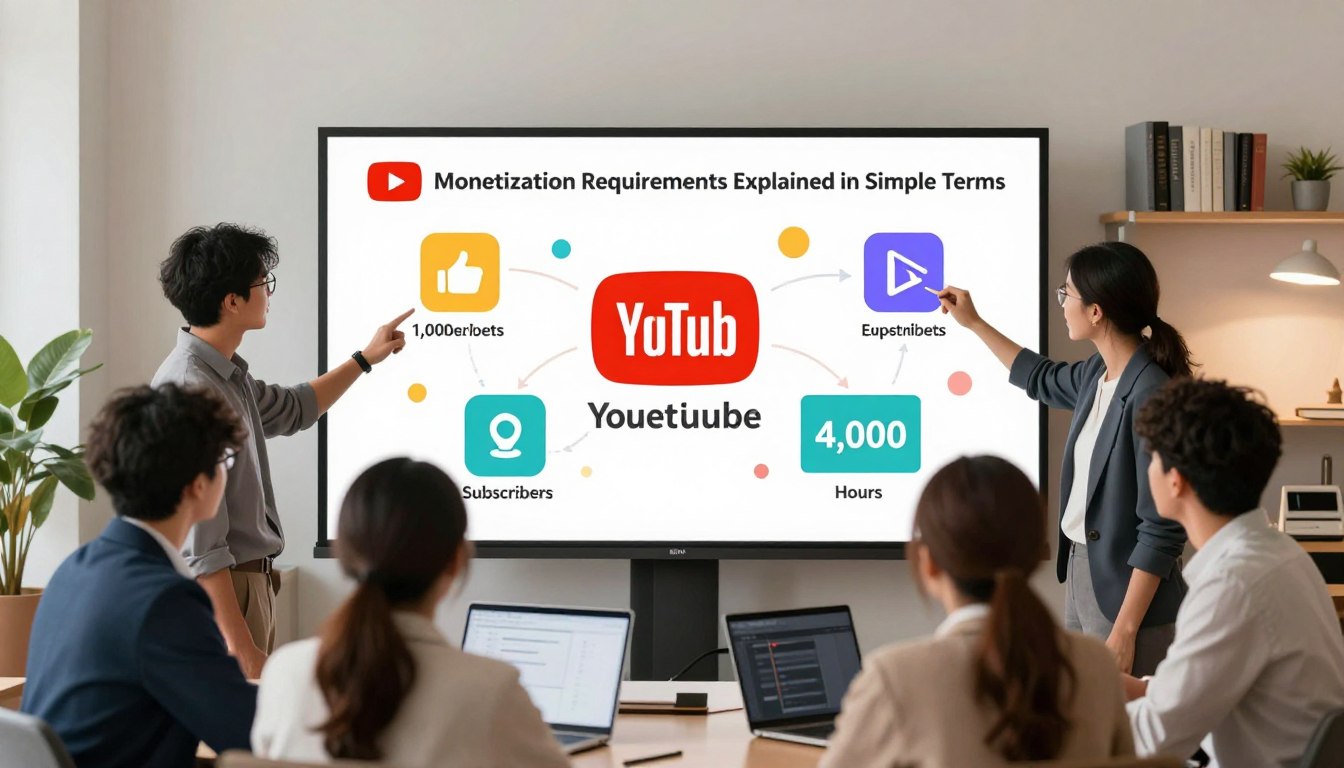
    The traditional path to monetization eligibility involves two primary metrics. You must reach a minimum of 1,000 subscribers to show that you have built a loyal community. Additionally, your channel needs to accumulate 4,000 valid public watch hours on long-form videos within the past 12 months.

    These hours must come from content that is currently public. Private or deleted videos do not count toward your total. Staying consistent with your uploads is the best way to reach these numbers naturally.

    Alternative Eligibility via YouTube Shorts Views

    If you prefer creating short-form content, there is a different way to qualify. You can achieve monetization eligibility by gathering 10 million valid public Shorts views in the last 90 days. This path is designed for creators who thrive in the fast-paced world of vertical video.

    Keep in mind that these views must be organic. Using paid advertising to boost your Shorts will not count toward this specific goal. Focus on creating high-quality, engaging clips that encourage viewers to watch until the end.

    The Importance of Two-Step Verification and Policy Compliance

    Even if you hit your numbers, you must follow the rules to get approved. Enabling two-step verification on your Google account is a mandatory step for security. This simple action protects your channel from unauthorized access and is a core part of the youtube monetization requirements explained.

    Furthermore, your channel must adhere to all community guidelines and copyright policies. Any active strikes against your account can prevent you from joining the program. Maintaining a clean record is just as important as your view counts.

    Requirement Type Primary Metric Timeframe
    Long-form Content 4,000 Public Watch Hours Last 12 Months
    Short-form Content 10 Million Shorts Views Last 90 Days
    Community Base 1,000 Subscribers No Time Limit

    Step-by-Step Guide to Applying for Monetization

    Turning your creative passion into a steady income stream starts with a few simple clicks in your dashboard. Learning how to monetize youtube videos effectively requires following the official platform procedures to ensure your account is set up for success.

    Checking Your Eligibility in YouTube Studio

    The first step is to log into your YouTube Studio account and navigate to the “Earn” tab. Here, you will find a clear overview of your progress toward the required milestones.

    The dashboard provides real-time tracking of your subscriber count and public watch hours. If you have met the thresholds, you will see a button inviting you to apply for the youtube partner program.

    Signing the Partner Program Terms

    Once you click the apply button, you must review and accept the base terms of the agreement. This document outlines the rules regarding revenue sharing and content ownership.

    It is crucial to read these terms carefully before clicking “Accept.” By signing, you confirm that you understand the platform’s policies and agree to abide by them moving forward.

    Linking Your Google AdSense Account

    After signing the terms, you will be prompted to connect your google adsense account. This is the financial engine that allows you to receive payments for your ad revenue.

    If you already have an account, you can link it directly during this step. If not, the system will guide you through the process of creating a new one to ensure your earnings are processed correctly.

    Passing the Channel Review Process

    After your application is submitted, your channel enters a queue for a human-led review. During this phase, real people check your content to ensure it aligns with community guidelines and advertiser-friendly policies.

    This process can take anywhere from a few days to a few weeks. Once approved, you will receive a notification, and you can begin enabling ads on your videos to start earning.

    Navigating YouTube Ad Policies and Community Guidelines

    Success on YouTube is not just about views; it is about playing by the rules to keep your revenue flowing. Creators who prioritize safety and transparency often find it easier to build a sustainable career. By staying informed, you protect your hard work from unexpected penalties.

    Understanding Advertiser-Friendly Content Guidelines

    To earn money, your videos must be suitable for a wide range of brands. The youtube ad policies are designed to ensure that sponsors feel comfortable appearing alongside your content. If your videos contain excessive profanity, violence, or controversial topics, they may be flagged for limited ads.

    Reviewing the youtube revenue guidelines regularly is a smart habit for any creator. Focus on creating content that is helpful, entertaining, and respectful to your audience. When you avoid “edgy” or harmful themes, you keep your channel in the good graces of advertisers.

    Avoiding Copyright Strikes and Content ID Claims

    Protecting your channel’s reputation starts with respecting intellectual property. A copyright strike occurs when a rights holder requests the removal of your video. These strikes can lead to the loss of monetization features and even account termination.

    Content ID claims are slightly different, as they often allow you to keep the video up while sharing revenue with the original creator. Always aim to use original footage, music, and images to avoid these issues entirely. Originality is your best defense against potential legal headaches.

    Adhering to YouTube Community Guidelines

    Beyond financial rules, you must follow the broader community standards that keep the platform safe. These guidelines prohibit harassment, hate speech, and dangerous activities. Violating these rules can result in strikes that impact your ability to upload or stream.

    Maintaining a positive environment helps you build a loyal community that trusts your brand. When you follow these youtube ad policies, you contribute to a better experience for everyone. Always check the latest updates to ensure your content remains compliant with current youtube revenue guidelines.

    Violation Type Primary Impact Severity Level
    Copyright Strike Monetization loss High
    Ad-Friendly Violation Limited ad revenue Medium
    Community Guideline Strike Account restrictions Critical

    Setting Up Your Google AdSense Account

    Managing your creator finances starts with a solid connection to your payment profile. This technical step ensures that your hard-earned revenue reaches your bank account without unnecessary delays. By using google adsense, you gain a reliable platform to track your earnings and manage your financial data effectively.

    It is important to remember that your financial setup must align with youtube ad policies to ensure your account remains in good standing. Proper configuration prevents common payment issues and keeps your channel compliant with platform standards.

    Creating a New AdSense Account for YouTube

    If you do not have an existing profile, you can create one directly through the monetization tab in your dashboard. The system will guide you through the registration process, requiring your personal details and tax information.

    • Navigate to the monetization section in your creator studio.
    • Select the option to set up a new account.
    • Follow the prompts to link your channel to your new profile.

    Linking an Existing AdSense Account

    Many creators already have a profile from previous online ventures. You can easily link this to your channel to consolidate your earnings into one place. Consistency is key when managing multiple revenue streams, so ensure your account details are up to date.

    “Financial clarity is the foundation of a sustainable creator business. By centralizing your payments, you spend less time on administration and more time on content creation.”

    Verifying Your Identity and Address

    Once your account is active, you must verify your identity and physical address to receive payments. Google will send a Personal Identification Number (PIN) to your registered mailing address once your earnings reach a specific threshold.

    You must enter this PIN into your dashboard to confirm your location. Failure to complete this step can result in payment holds, so keep a close eye on your notifications to ensure you remain compliant with all youtube ad policies and payment requirements.

    Best Practices for Maintaining Monetization Eligibility

    Once you have unlocked monetization, the real work of maintaining your status begins. It is vital to remember that your standing is not permanent and requires ongoing adherence to youtube revenue guidelines. By staying proactive, you can ensure your channel remains a reliable source of income for years to come.

    Consistency and Channel Activity Requirements

    YouTube values creators who provide a steady stream of fresh content to their audience. Maintaining a regular upload schedule helps you stay relevant and signals to the algorithm that your channel is active. Consistency is often the key to building a loyal community that keeps coming back for more.

    If you go inactive for an extended period, you might notice a dip in your reach. While there is no strict rule forcing you to upload daily, long gaps can sometimes lead to a loss of monetization eligibility. Always aim to communicate with your viewers if you plan to take a break.

    Avoiding Reused Content and Repetitive Material

    One of the most common reasons creators lose their status is the inclusion of reused content. You must ensure that your videos provide significant original commentary or educational value. Simply re-uploading clips from other sources without adding your own unique perspective is a major violation of platform policies.

    Repetitive material, such as automated slideshows or low-effort compilations, can also trigger a review. Focus on creating content that showcases your personality and creative effort. This approach protects your channel from potential demonetization and builds a stronger brand.

    Monitoring Your Channel Analytics for Policy Violations

    Your dashboard in YouTube Studio is your best tool for tracking the health of your channel. Regularly check your analytics to identify any sudden drops in performance or flags regarding copyright. Catching these issues early allows you to address them before they escalate into serious policy violations.

    Action Impact on Status Recommended Frequency
    Original Content Creation Positive Every Upload
    Community Engagement Positive Daily
    Copyright Compliance Critical Ongoing
    Policy Review Preventative Monthly

    Staying informed about updates to youtube revenue guidelines will keep you ahead of the curve. By following these best practices, you maintain your monetization eligibility and foster a sustainable career as a content creator.

    Conclusion

    Success on this platform requires a clear vision and a commitment to your audience. Mastering youtube channel monetization is a long-term journey that rewards those who stay patient and focused on their goals.

    You now possess the knowledge to navigate complex policies and technical requirements. Use these tools to build a sustainable brand that resonates with viewers across the globe.

    Earning money on youtube is achievable when you prioritize authentic engagement and high-quality storytelling. Keep your content fresh and remain active within your community to foster lasting growth.

    The digital landscape changes rapidly. Stay informed about updates from Google to protect your status and keep your revenue streams secure. Your dedication today sets the foundation for your creative career tomorrow.

    FAQ

    What are the primary YouTube monetization requirements explained for new creators?

    To qualify for the YouTube Partner Program, most creators need to reach a baseline of 1,000 subscribers. Additionally, you must achieve either 4,000 valid public watch hours over the past 12 months or 10 million valid public Shorts views within the last 90 days. Meeting these milestones is the first step in understanding how to monetize YouTube videos effectively.

    How does the YouTube Partner Program actually work?

    The YouTube Partner Program is a framework that allows creators to share in the revenue generated from advertisements served on their videos. Once you reach monetization eligibility, you gain access to multiple income streams, including Google AdSense revenue, YouTube Premium subscription fees, and fan-funding features like Super Chat and Channel Memberships.

    What are the most important YouTube ad policies to follow?

    To keep your videos monetized, you must adhere to YouTube ad policies and advertiser-friendly content guidelines. This means avoiding “reused content,” ensuring you own the rights to your media, and steering clear of sensitive topics that might cause advertisers to pull their support. Following these YouTube revenue guidelines is essential for long-term earning money on YouTube.

    Why do I need a Google AdSense account for YouTube channel monetization?

    Google AdSense is the financial engine that handles the payouts for your channel. Even if you produce great content, you cannot receive payments without linking a verified Google AdSense account. This process involves verifying your identity and physical address to ensure all tax and payment information is accurate and compliant with YouTube channel monetization rules.

    Can I still apply if I have a copyright strike on my channel?

    No, having an active Community Guidelines strike will prevent you from being accepted into the program. While copyright claims (Content ID) are different, repetitive claims can hurt your monetization eligibility. It is always best to resolve any strikes and ensure your channel is in good standing before you start the application process in YouTube Studio.

    Is two-step verification required for earning money on YouTube?

    Yes! YouTube requires all creators in the partner program to have two-step verification enabled on their Google Account. This is a security measure designed to protect your hard-earned revenue and prevent unauthorized access to your YouTube channel monetization settings.

    What is the “reused content” policy, and how does it affect me?

    The reused content policy is a major part of the YouTube revenue guidelines. It prevents channels from monetizing content that is compiled from other sources without adding significant original commentary or educational value. To maintain your status in the YouTube Partner Program, you must ensure your videos are unique and offer a transformative experience for your audience.

    How long does the YouTube channel monetization review process take?

    Once you hit the milestones and submit your application, YouTube specialists will manually review your channel. This process typically takes about a month, as they look at your channel’s main theme, your most-watched videos, and your metadata to ensure everything aligns with YouTube ad policies.